
Introduction
Whilst checking my Microsoft Intune Patch management for the latest monthly updates, I came across a new to me report which I thought might be useful for others detailing the status of Windows SecureBoot certificates in my organisation.
How to check updates
If you’re running Microsoft Intune, Goto Microsoft Endpoint Configuration Manager and click on Devices, Windows, Windows Updates
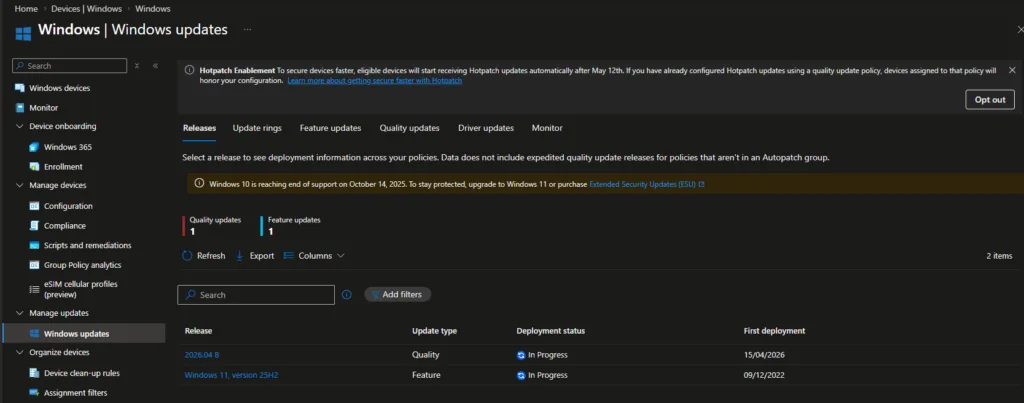
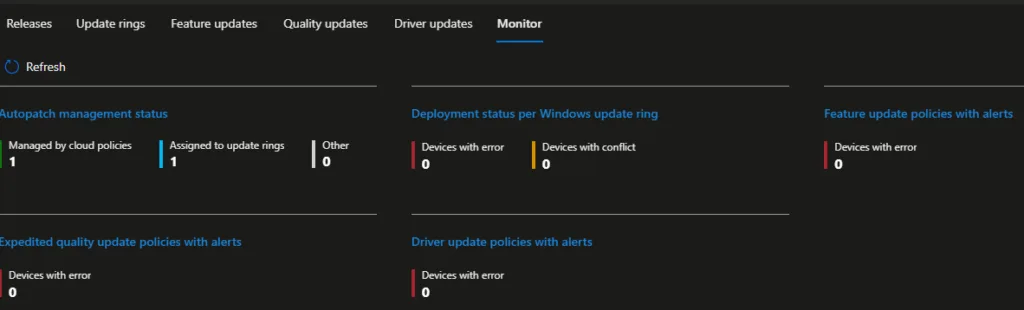
At the top, Click on Monitor and click on Autopatch Management Status
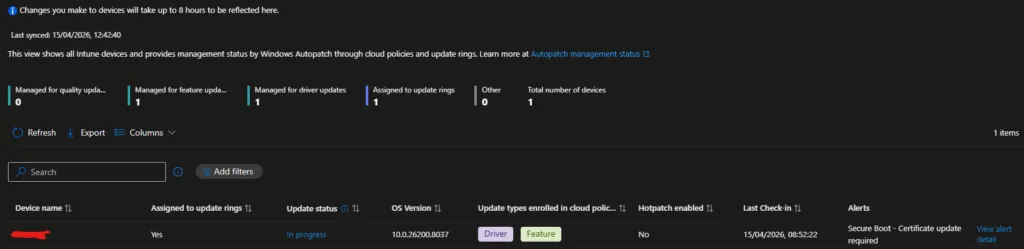
Within this report, it will list all the devices in your organisation (I believe), Or atleast, All the devices with an active alert.
Clicking on View Alert Detail brings up the below screen with links to further information.
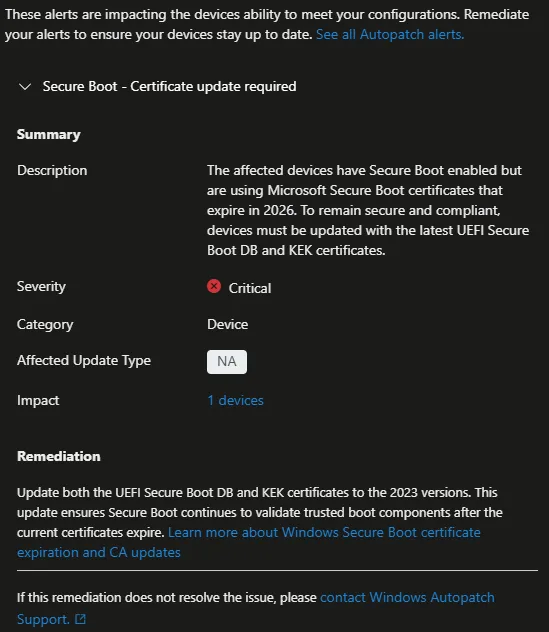
Clicking the Learn more about Windows Secure Boot certificate expiration and CA updates link brings us to This page with further information.
Updating SecureBoot Certificates
Microsoft have put together the below articles on configuring Windows Update for Secure Boot Certificates.
Registry key updates for Secure Boot: Windows devices with IT-managed updates
Group Policy Objects (GPO) method of Secure Boot for Windows devices with IT-managed updates
Windows Configuration System (WinCS) APIs for Secure Boot
Microsoft Intune method of Secure Boot for Windows devices with IT-managed updates